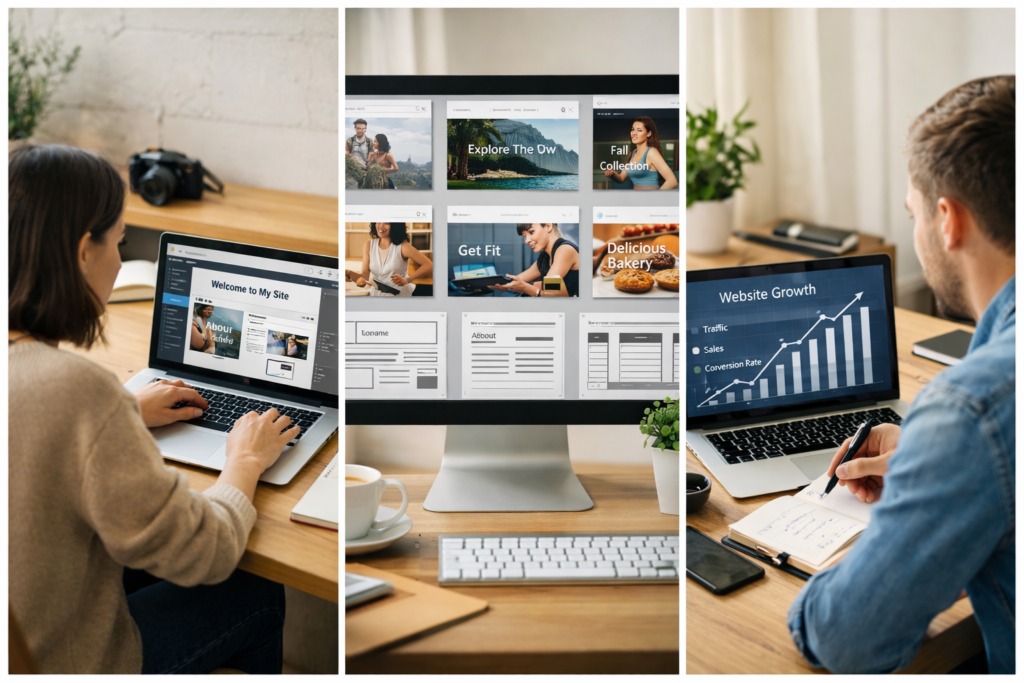
If you are planning to build a website for the first time, you are probably feeling a mix of excitement and confusion.
Questions like these are completely normal:
- Which website builder is actually easy to use?
- How much will it really cost in the long run?
- What if I choose the wrong platform?
- Will my website be able to grow with my business?
The good news is that modern website builders have made launching a website much simpler than it used to be.
You no longer need coding skills or a large budget to create a professional online presence.
But choosing the right website builder for beginners and small businesses still matters — because switching later can be time-consuming and expensive.
This guide is designed to help you make a clear and practical decision.
Quick Decision Summary (If You Are in a Hurry)
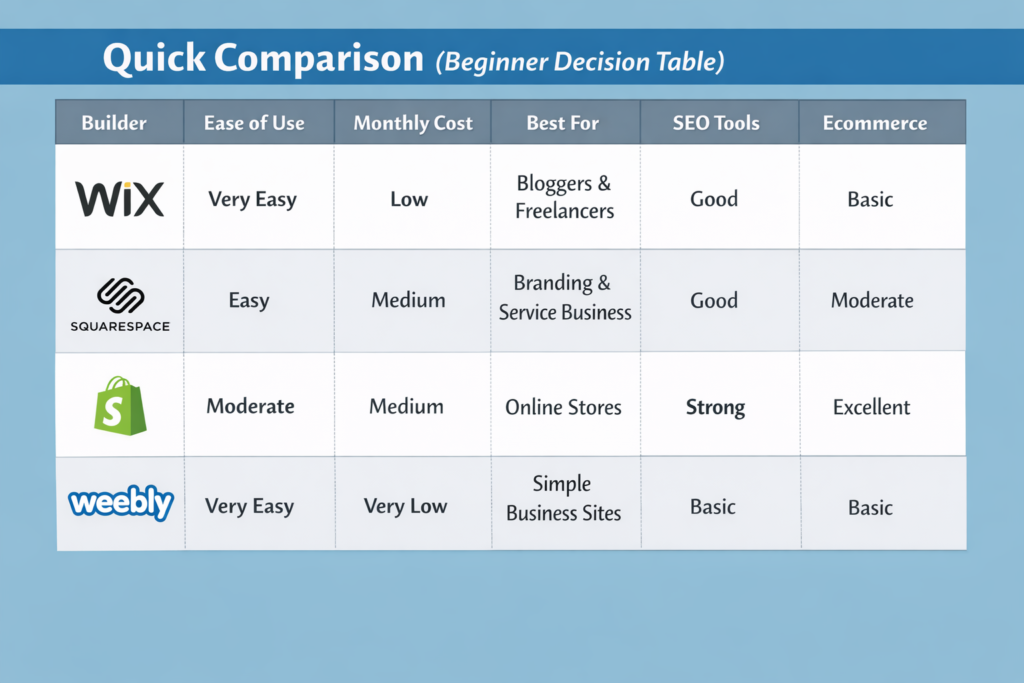
- Choose Wix if you want the easiest start
- Choose Squarespace if branding and design matter most
- Choose Shopify if you plan to sell products online
- Choose Weebly if budget is your biggest concern
Now let’s look deeper so you can choose with confidence.
Why Website Builders Make Sense for Beginners
Traditional websites required:
- Buying hosting separately
- Installing themes
- Managing security
- Learning technical setup
Website builders simplify everything into one platform.
You get:
- Ready templates
- Drag-and-drop editing
- Built-in hosting
- Basic SEO settings
- Mobile-friendly layouts
This allows beginners and small businesses to focus on customers instead of technology.
Wix — The Smoothest Learning Curve for First-Time Users
Wix is often recommended because it removes most technical barriers.
Even if you have never built a website before, you can visually design pages by dragging elements like text blocks, images, buttons, and sections.
Many freelancers launch portfolio or service websites on Wix within a day.
Practical Advantages
- Extremely beginner friendly
- Hundreds of templates
- Built-in SEO guidance
- Flexible design customization
Real Limitations
- Changing templates later can be difficult
- Advanced features require paid plans
Best suited for: Bloggers, consultants, small service businesses.
Squarespace — When Your Website Must Look Premium
For businesses where presentation matters — such as photography, coaching, restaurants, or design services — Squarespace offers a strong visual advantage.
Its templates are clean, modern, and optimized for mobile users.
This platform also includes marketing tools and visitor analytics.
Practical Advantages
- Professional branding capability
- Good blogging support
- All-in-one ecosystem
Real Limitations
- Slightly harder to learn than Wix
- Fewer external integrations
Best suited for: Brand-focused small businesses.
Shopify — Designed for Selling, Not Just Showing
If your goal is ecommerce, Shopify is built specifically for managing online stores.
From handling payments to tracking inventory and running marketing campaigns, it supports business growth at scale.
Many entrepreneurs choose Shopify because they don’t need to rebuild their store when sales increase.
Practical Advantages
- Powerful ecommerce infrastructure
- Scalable performance
- Marketing integrations
Real Limitations
- Monthly costs increase with apps
- Not ideal for content-heavy blogs
Best suited for: Dropshipping and product businesses.
Weebly — A Low-Risk Way to Start Online
If you are unsure about investing money initially, Weebly provides a simple entry point.
It allows you to create a basic website quickly without technical complexity.
Practical Advantages
- Easy setup
- Budget friendly
- Suitable for small projects
Real Limitations
- Limited customization
- Not ideal for long-term scaling
Best suited for: Beginners testing ideas.
Hidden Cost Reality Most Guides Don’t Explain
Many beginners choose platforms only based on monthly price.
But real cost includes:
- Domain renewal
- Paid templates or apps
- Marketing tools
- Future migration effort
Choosing the wrong platform can cost more in the long run than starting with a slightly better one.
Website Builder vs WordPress — A Practical View
Website builders:
- Faster setup
- Lower technical stress
- All-in-one solution
WordPress:
- More flexibility
- Better customization
- Requires hosting management
For most beginners and small businesses, starting with a builder is often the safer path.
Common Beginner Mistakes to Avoid
- Choosing the cheapest option without long-term thinking
- Ignoring SEO capabilities
- Switching platforms repeatedly
- Overcomplicating design instead of focusing on content
- Expecting instant traffic without marketing effort
Avoiding these mistakes can save months of frustration.
How to Choose Based on Your Real Goal
Choose Wix → If you want simplicity and speed
Choose Squarespace → If visual brand identity matters
Choose Shopify → If your priority is selling products
Choose Weebly → If budget testing is your goal
There is no universal best platform — only the best one for your stage.
Final Thoughts
Building a website today is less about technology and more about clarity of purpose.
Start with a platform that matches your current needs, launch your website, learn from real users, and improve step by step.
A simple website that is live is always more powerful than a perfect website that is never launched.
FAQ
Can beginners really build websites without coding?
Yes. Modern builders are designed for non-technical users.
Will website builders affect SEO?
Most major platforms provide essential SEO tools.
Can I change website builder later?
Yes, but migration may require effort.
Conclusion
Choosing the right website builder helps beginners and small businesses move online faster, reduce risk, and build confidence.
Focus on launching first. Optimization can always come later.